Less Duplication
Reduce repeated entry when the same records are needed across connected systems.
Connect supported services and systems with EDHI5 to create a simpler, more coordinated campus technology environment.
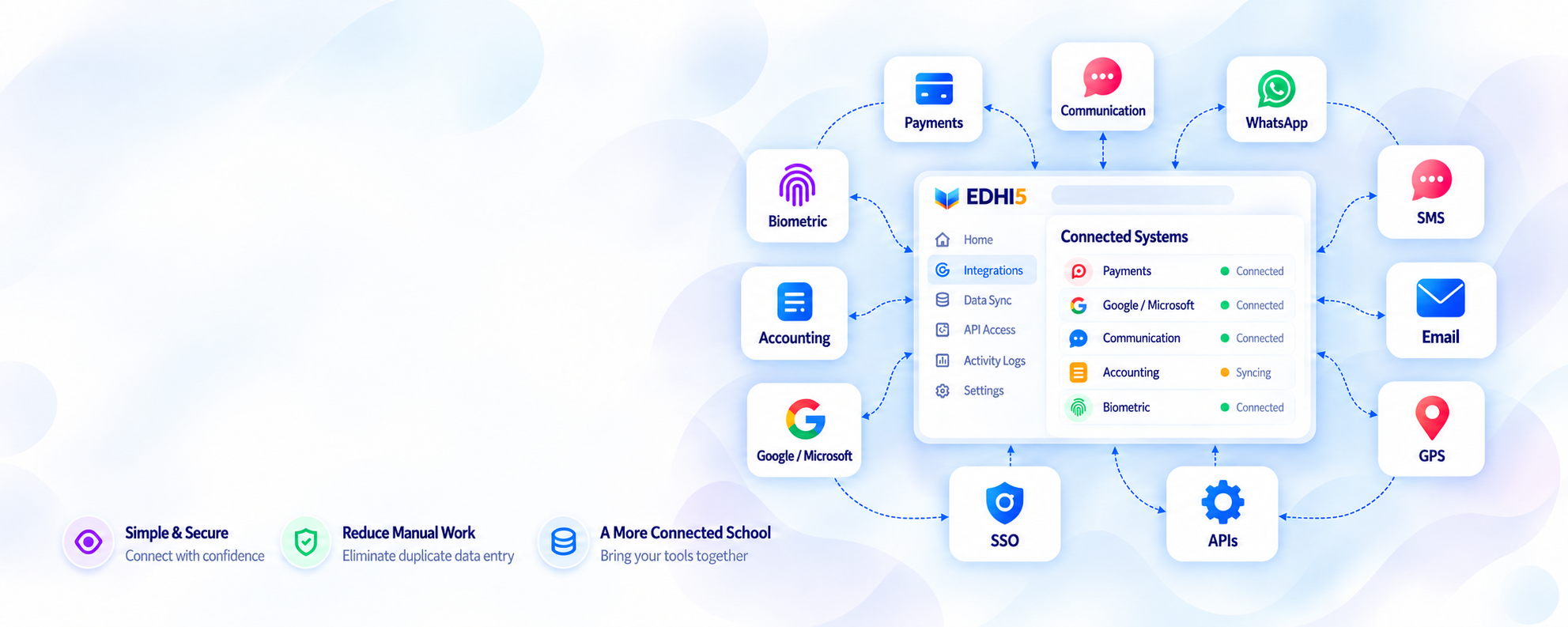
Explore a category to see what a connection could support. Add the tools you use to build an integration brief.
11 categories to explore
No matching categories. Try another search or choose All.
Provider compatibility, connection scope, permissions and any third-party charges are confirmed before implementation.
Select the tools your campus already uses.
A modern platform should help you coordinate the technology you already use. Start with the connections that support your everyday work.
Identify your providers, available connection options and the workflows you want to improve.
Useful connections help relevant information move between tools and the teams responsible for the next step.
Reduce repeated entry when the same records are needed across connected systems.
Keep agreed record updates and workflow events aligned.
Make relevant information available where teams need it.
Give your campus a more organised way to work with its tools.
List your tools, providers and priority workflows.
Agree on compatibility, scope, data mapping and permissions.
Set up the connection and validate the agreed record flows.
Confirm ownership, train relevant teams and review the working connection.
That is the starting point. We review your current providers and available connection options, then confirm what can be supported and what changes may be needed.
These are integration categories, not a guarantee for every product or device. Compatibility depends on the provider, available APIs or protocols, permissions and the agreed scope.
Share the provider name, product or device version if known, API documentation if available, and the specific records or workflow you want to connect. Do not share passwords or access keys in an enquiry.
The implementation should define which information is required, who can access it and what permissions the connected services need. These details are reviewed as part of the connection scope.
Scope, implementation effort and any EDHI5 or third-party charges are confirmed during consultation.
Tell us which tools you use and what you want to improve. We will help define a practical integration scope.